
Photo
SaferScreenshot
Hide emails, keys and names in a screenshot before you share it.
- Category
- Photo
- Requires
- macOS 13+
- Size
- 768 KB
- Price
- Free
Preview
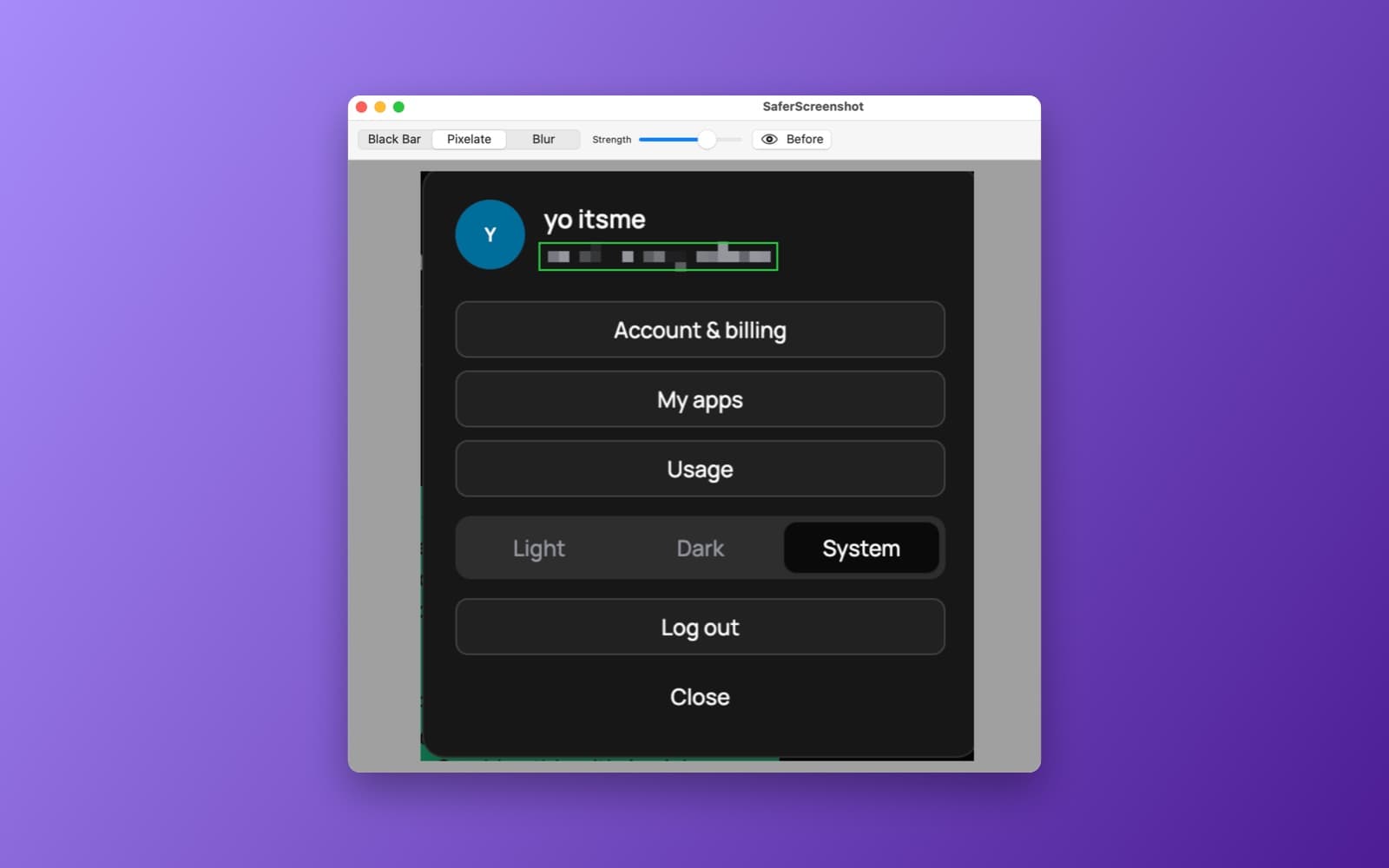
About SaferScreenshot
SaferScreenshot finds sensitive information in a screenshot and covers it up, all on your Mac.
What it does
- Drop, paste or capture. Drag in a screenshot, choose a file, paste from the clipboard, or capture an area of the screen with a shortcut.
- Finds what to hide. Uses the Vision text recognizer with pattern matching to spot emails, phone numbers, addresses, card numbers, API keys, passwords and tokens, and Apple's language tools to find people's names.
- Three ways to cover. Solid black bars, pixelation or a heavy blur.
- You stay in control. Click a detected box to turn it off, drag your own rectangle over anything it missed, and flip a before and after view.
- Copy or export. Put the cleaned image on the clipboard or save it as a PNG or JPEG.
Notes
Nothing leaves your Mac: no network calls and no uploads. Text recognition can miss small or low-contrast text, so check the preview before you share the image.
Information
- Developer
- SiliconDevKit (generated by AI from a prompt)
- Category
- Photo
- Compatibility
- macOS 13 or later, Apple silicon. Apple silicon Macs only (M1 or later), not Intel
- Size
- 768 KB (.dmg)
- Latest version
- 1.0
- Price
- Free
- Signing
- Ad-hoc signed, not notarized
The prompt behind it
This app was generated from the prompt below. Paste it into SiliconDevKit to build your own version, then change it however you like.
Build a menu bar app called SaferScreenshot that automatically detects and redacts sensitive information from screenshots entirely on-device. Clicking the menu bar icon opens a popover with a drop zone that accepts screenshot files dragged from Finder or the browser, a Choose File button, and support for pasting directly from the clipboard or capturing a selected screen area via a shortcut. Use on-device Apple frameworks: run Vision's VNRecognizeTextRequest (OCR) paired with NSDataDetector and regex pattern matching to identify sensitive text (emails, phone numbers, street addresses, credit cards, API keys, passwords, and tokens). Combine this with Apple's NaturalLanguage framework (NLTagger) to extract personal names. Detect bounding boxes around sensitive tokens and overlay adjustable redactions (solid black bars, pixelation, or heavy gaussian blur). Show the result in an interactive preview window where users can click detected boxes to toggle them on or off, drag custom redaction rectangles over unflagged areas, and toggle a before-and-after view. Add buttons to copy the sanitized image directly to the clipboard or export it as a clean PNG/JPEG. Everything processes locally with zero network calls and no cloud uploads.
What it cost
The cost of this demo was not recorded in our usage log. Demos built through the live build system show every run with its tokens and cost.
Version tree
Every change to this app is a new version. Use any build as a template to start your own copy from it; forks that their makers shared appear as branches.
Version 1.0Oct 7, 2026
Build a menu bar app called SaferScreenshot that automatically detects and redacts sensitive information from screenshots entirely on-device. Clicking the menu bar icon opens a popover with a drop zone that accepts screenshot files dragged from Finder or the browser, a Choose File button, and support for pasting directly from the clipboard or capturing a selected screen area via a shortcut. Use on-device Apple frameworks: run Vision's VNRecognizeTextRequest (OCR) paired with NSDataDetector and regex pattern matching to identify sensitive text (emails, phone numbers, street addresses, credit cards, API keys, passwords, and tokens). Combine this with Apple's NaturalLanguage framework (NLTagger) to extract personal names. Detect bounding boxes around sensitive tokens and overlay adjustable redactions (solid black bars, pixelation, or heavy gaussian blur). Show the result in an interactive preview window where users can click detected boxes to toggle them on or off, drag custom redaction rectangles over unflagged areas, and toggle a before-and-after view. Add buttons to copy the sanitized image directly to the clipboard or export it as a clean PNG/JPEG. Everything processes locally with zero network calls and no cloud uploads.
Menu bar app that detects and redacts sensitive info in screenshots entirely on-device.
Opening it for the first time
- Open the .dmg and drag SaferScreenshot onto the Applications folder.
- Open it from Applications. macOS may say it can’t check the app for malicious software. Click Done.
- Open System Settings → Privacy & Security and click Open Anyway. This is needed once. Why this happens. To share an app without the warning, see how to notarize it.


