
Network
PlayTube
Paste a video link and watch it in a clean player, with no ads.
- Category
- Network
- Requires
- macOS 13+
- Size
- 320 KB
- Price
- Free
Preview
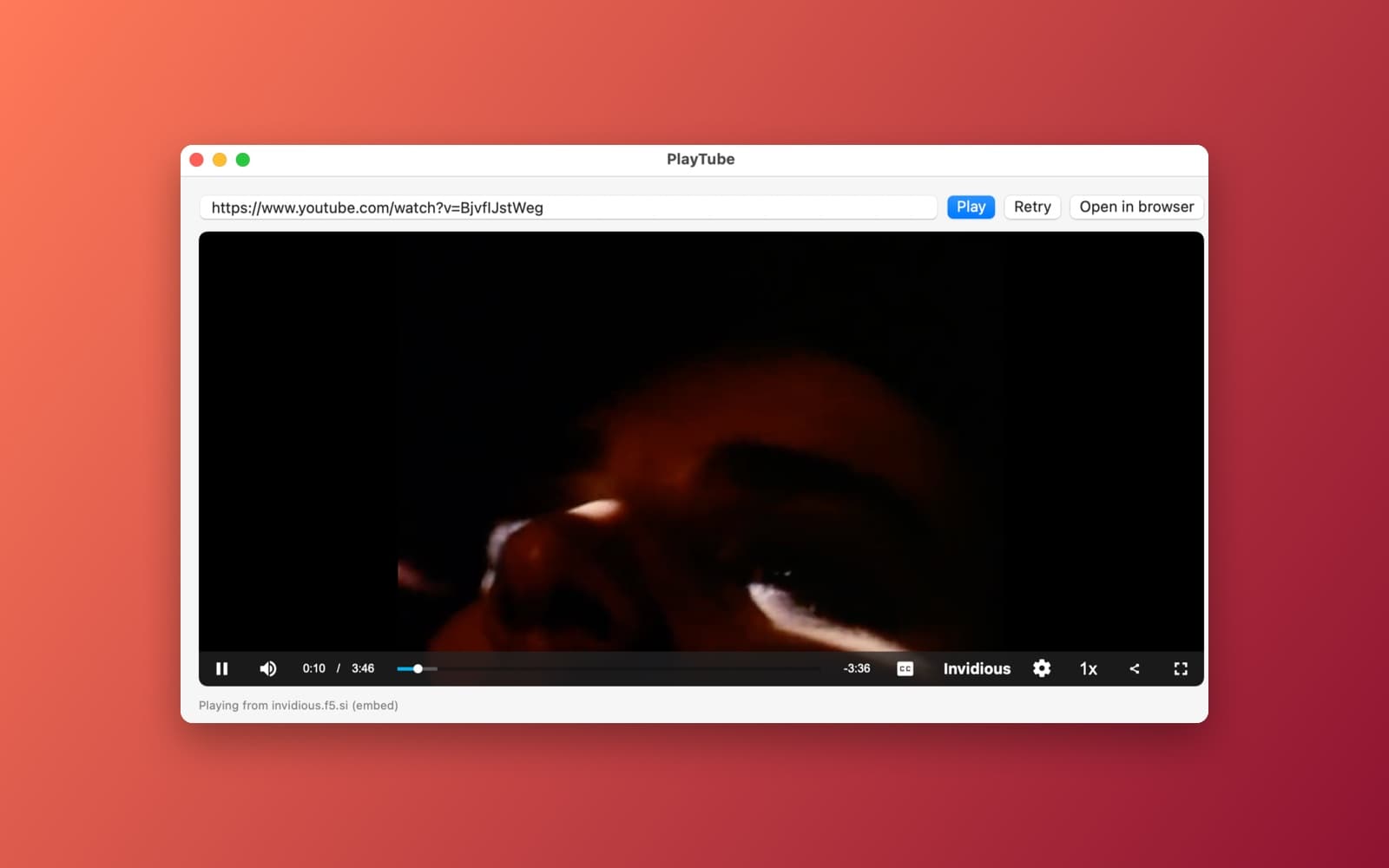
About PlayTube
PlayTube plays a video from a pasted link inside its own window, using public Invidious servers instead of YouTube's site.
What it does
- Paste and play. Paste a watch, youtu.be or shorts link and press Play. A link that is not a video shows a clear error.
- Finds a server that works. It loads the public Invidious server list (kept for 6 hours, with a built-in list as backup), keeps the ones with an open API, and tries the five with the best uptime one after another until a video plays.
- Two ways to play. First it plays the video's own stream in a native player. If that fails on a server, it falls back to that server's own embedded player.
- Always shows what happened. A status line names the server that is playing. If every server fails, the app lists what each one answered, so you can see why.
- Open in browser. Opens the video's page on the best Invidious server. It never opens youtube.com. Retry tries the whole chain again, and the last link you pasted is remembered.
Notes
Public Invidious servers are run by volunteers, and some go down or get blocked without notice. If one video will not play, press Retry in a minute. Nothing in this app talks to youtube.com directly.
Information
- Developer
- SiliconDevKit (generated by AI from a prompt)
- Category
- Network
- Compatibility
- macOS 13 or later, Apple silicon. Apple silicon Macs only (M1 or later), not Intel
- Size
- 320 KB (.dmg)
- Latest version
- 1.1
- Price
- Free
- Signing
- Ad-hoc signed, not notarized
The prompt behind it
This app was generated from the prompt below. Paste it into SiliconDevKit to build your own version, then change it however you like.
A macOS video player app called PlayTube. The user pastes a YouTube URL (watch, youtu.be or shorts) into a field and presses Play. The video plays inside the app. Extract the 11-character video ID, and show a clear error if it is invalid. Playback must come only from Invidious instances, never from YouTube. Fetch https://api.invidious.io/instances.json (cache it on disk for 6 hours, with a built-in list of a few instances as a fallback), keep https instances where api is true, rank them by uptime and try the top 5 in turn. For each instance: GET {instance}/api/v1/videos/{id} with a 6 second timeout and play the best muxed stream from formatStreams in AVPlayer (retry once with ?local=true); if that fails, load {instance}/embed/{id} in a WKWebView; then move on to the next instance. If all fail, list what each instance returned (name, HTTP status or error) and show Retry and Open in browser buttons. Open in browser must always open the best-ranked Invidious instance's page, https://{instance}/watch?v={id}, never youtube.com, and no part of the app (including status and error text) may open or link to youtube.com. Show the active instance in a status line, a spinner while trying, the title and channel when known, and remember the last pasted URL. Use only built-in frameworks.
What it cost
The cost of this demo was not recorded in our usage log. Demos built through the live build system show every run with its tokens and cost.
Version tree
Every change to this app is a new version. Use any build as a template to start your own copy from it; forks that their makers shared appear as branches.
Version 1.0Oct 7, 2026
A macOS video player app called PlayTube. The user pastes a YouTube URL (watch, youtu.be or shorts) into a field and presses Play. The video plays inside the app. Also add an "Open in browser" button. Extract the 11-character video ID from the URL. If it is invalid, show a clear error. Playback uses a fallback chain: 1. Fetch https://api.invidious.io/instances.json (cache it on disk for 6 hours, and fall back to a built-in list of a few instances if the fetch fails). Keep only https instances where api is true. Rank them by uptime and take the top 5. Try each in turn. 2. For each instance, GET {instance}/api/v1/videos/{id} with a 6 second timeout. If it fails, times out, or formatStreams is empty, go to the next instance. Pick the highest-quality entry in formatStreams (a muxed mp4) and play it with AVPlayer in a SwiftUI view with native controls. If playback fails, retry once with ?local=true, then move on to the next instance. 3. If all 5 fail, fall back to YouTube's official embedded player in a WKWebView. Load the HTML with loadHTMLString and baseURL https://www.youtube.com so the embed doesn't refuse to play. 4. If that fails too, show a message and the Open in browser button. Show which source is playing (instance name or "YouTube embed") in a small status line. "Open in browser" opens https://{current or best instance}/watch?v={id}, or the youtube.com link if none responded. Include a Retry button, show the video title and channel when known, and remember the last pasted URL. Use only built-in frameworks. Show a loading spinner while trying instances.
Paste a YouTube link and play it in-app via Invidious instances with a YouTube embed fallback.
Version 1.1Oct 7, 2026
Remove the YouTube embedded player and every direct youtube.com playback path. Playback must come only from Invidious instances, never from YouTube. Keep the instance chain: fetch https://api.invidious.io/instances.json (cache it for 6 hours, with the built-in list as a fallback), keep https instances with api true, rank by uptime, and try the top 5. For each instance, try in this order: 1. {instance}/api/v1/videos/{id}: play the best muxed stream from formatStreams in AVPlayer. If it fails, retry once with ?local=true. 2. If that fails, load {instance}/embed/{id} in a WKWebView (it's the instance's own player, not YouTube's). Then move on to the next instance. If all fail, show a list of what each instance returned (name, HTTP status or error) and the Retry and "Open in browser" buttons. "Open in browser" opens https://{best instance}/watch?v={id}. Show the active instance in the status line. "Open in browser" must always open the best-ranked Invidious instance's watch page, https://{instance}/watch?v={id}, using the instance that is currently playing or, if none worked, the top-ranked one. Never open or link to youtube.com anywhere in the app, including the "Open in browser" button, status messages and error text.
Paste a video link and play it in-app through Invidious instances only.
Opening it for the first time
- Open the .dmg and drag PlayTube onto the Applications folder.
- Open it from Applications. macOS may say it can’t check the app for malicious software. Click Done.
- Open System Settings → Privacy & Security and click Open Anyway. This is needed once. Why this happens. To share an app without the warning, see how to notarize it.


