
SiliconDevKit for Mac
Describe an app, watch it build, and keep it on your Mac. Your account and projects are the same as on the website.
Download for Mac · v1.1.0Free · Apple silicon (M1 or later), macOS 13 or later · 2.2 MB · version 1.1.0, 2026-10-09
Install it
- Open the downloaded SiliconDevKit.dmg and drag SiliconDevKit onto the Applications folder.
- Right-click the app and choose Open, then click Open again.
- Sign in with your SiliconDevKit account or with Google.
The app is not notarized by Apple, so macOS may block the first launch. Open System Settings → Privacy & Security and click Open Anyway. Why this happens.
What it does
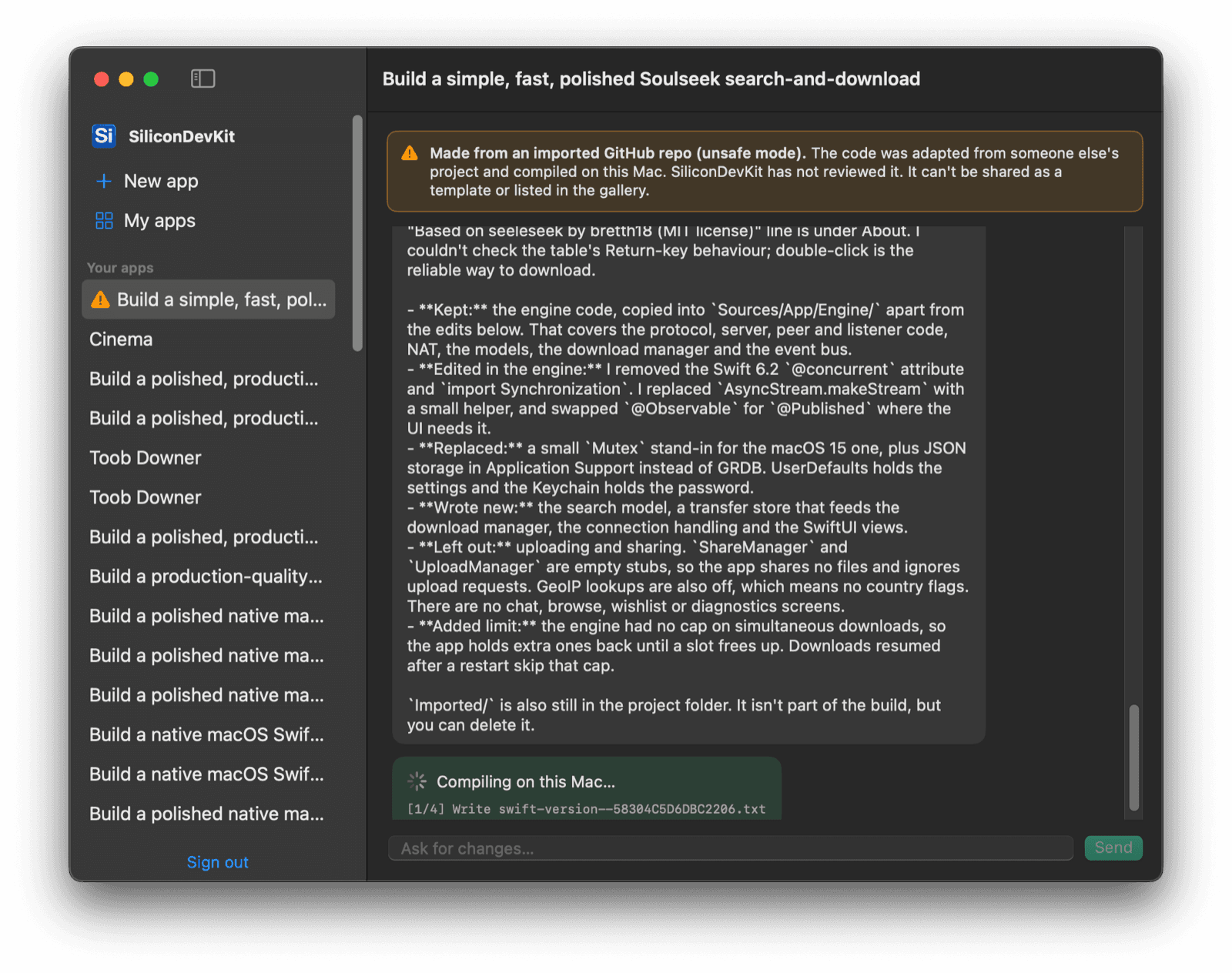
- Build and follow up. Describe an app, watch each stage live, and send changes in the same chat.
- Start from a template. Browse the gallery's apps and copy one as your starting point.
- My apps. Every version of every app, with downloads, a version tree and GitHub sync.
- Compile on your own Mac. The cloud writes the code and your Mac builds it. This needs Xcode.
More in the desktop app guide. Plans and credits are on the pricing page.
What's new
Version 1.1.0 2026-10-09
- Start from a template: the gallery's apps in a grid on the New app screen, with favorites and Use as template.
- My apps: every app with its versions, downloads, version tree and GitHub sync.
- Import a GitHub repo (Pro and Studio): name a public repo in your prompt and build an app from it, compiled on your own Mac and marked unsafe.
- A bigger prompt box like the website's, with starter ideas, Return to send and a character counter.
- Downloads open as a .dmg, with a shortcut to Privacy & Security for Open Anyway.
- A "Builds are delayed" notice when the build machine is offline, and live seconds on each build step.
- The finished app's icon, name and version shown above its download buttons.
Version 1.0.0 2026-10-04
- Sign in with email or Google, describe an app, watch it build, send follow-ups and download it.
- Compile on this Mac (Pro and Studio): the cloud writes the code and your Mac builds it.