
- Category
- System monitor
- Requires
- macOS 13+
- Size
- 1.3 MB
- Price
- Free
Preview
About Puff
A friendly visual disk space cleaner.
What it does
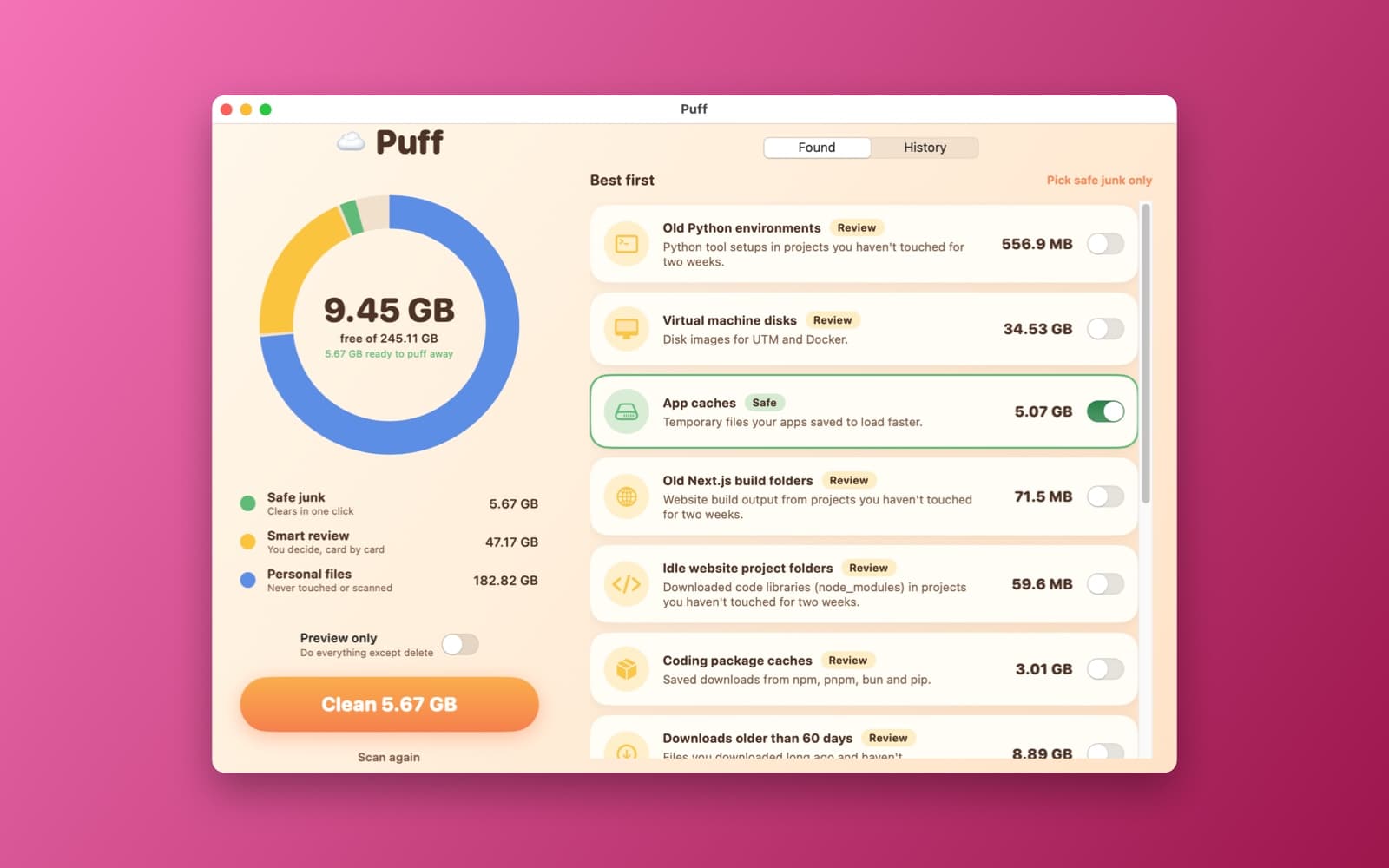
- Storage wheel. Green safe junk, yellow smart review and blue personal files that are never touched.
- Plain-English cards. Caches, old simulators, AI models, dormant project folders and more, ranked best first.
- Safe cleaning. Items move to the Trash, never deleted permanently, with a history and Undo, and a Preview only switch.
Notes
Some folders need Full Disk Access to be scanned. The app moves items to the Trash, so you can always get them back. This demo was compiled, launched and scanned this Mac; cleaning and Undo have not been tested end to end.
Information
- Developer
- SiliconDevKit (generated by AI from a prompt)
- Category
- System monitor
- Compatibility
- macOS 13 or later, Apple silicon. Apple silicon Macs only (M1 or later), not Intel
- Size
- 1.3 MB (.dmg)
- Version
- 1.0
- Price
- Free
- Signing
- Ad-hoc signed, not notarized
The prompt behind it
This app was generated from the prompt below. Paste it into SiliconDevKit to build your own version, then change it however you like.
Build a macOS app called Puff, a friendly disk space cleaner that anyone can use. The home screen shows an animated storage wheel with three colors: green for Safe junk, yellow for Smart review and blue for Personal files, which are never touched and never scanned for deletion. Use warm colors and spring animations. Scan the drive on background threads with async/await, FileManager enumerators and URLResourceKey sizes (allocated size, content access date), and show a live progress ring. Group what it finds into plain-English cards with a size and no raw paths, for example Old iPhone and iPad simulator files, Dormant AI models, Chrome ghost clones. Safe junk (one click): Chrome and Brave code-sign clones under /private/var/folders, app caches in ~/Library/Caches, crash reports older than 7 days in ~/Library/Logs/DiagnosticReports, and local Time Machine snapshots (tmutil listlocalsnapshots). Smart review (a toggle on each card): Hugging Face, Ollama, LM Studio and PyTorch model caches, Xcode iOS DeviceSupport, CoreSimulator devices, DerivedData and Archives, the Homebrew cache, npm, pnpm, bun and pip caches, Cargo target folders, node_modules, .next and .venv folders in projects not touched for 14 days, UTM and Docker disk images, Final Cut, Premiere and After Effects render and media caches, leftover folders in ~/Library/Application Support for apps that are no longer installed, and Downloads older than 60 days. Rank cards with CleanPriority = (SizeMB x DormancyDays x SafeConfidence) / RiskRating and show the best first. Tapping a card shows what is inside and why it is safe or not. A big Clean button moves the chosen items to the Trash (nothing is deleted permanently), asks for confirmation with the total size, shows a playful celebration with the space freed, and keeps a history list with an Undo that restores items from the Trash. Add a Preview only switch that does everything except delete. Handle folders that macOS blocks with a friendly note and a button that opens Full Disk Access settings. Nothing leaves the Mac.
Opening it for the first time
- Open the .dmg and drag Puff onto the Applications folder.
- Open it from Applications. macOS may say it can’t check the app for malicious software. Click Done.
- Open System Settings → Privacy & Security and click Open Anyway. This is needed once. Why this happens. To share an app without the warning, see how to notarize it.


