
Productivity
Private Chat
Chat with a language model that runs on your Mac, offline.
- Category
- Productivity
- Requires
- macOS 13+
- Size
- 14 MB
- Price
- Free
Preview
About Private Chat
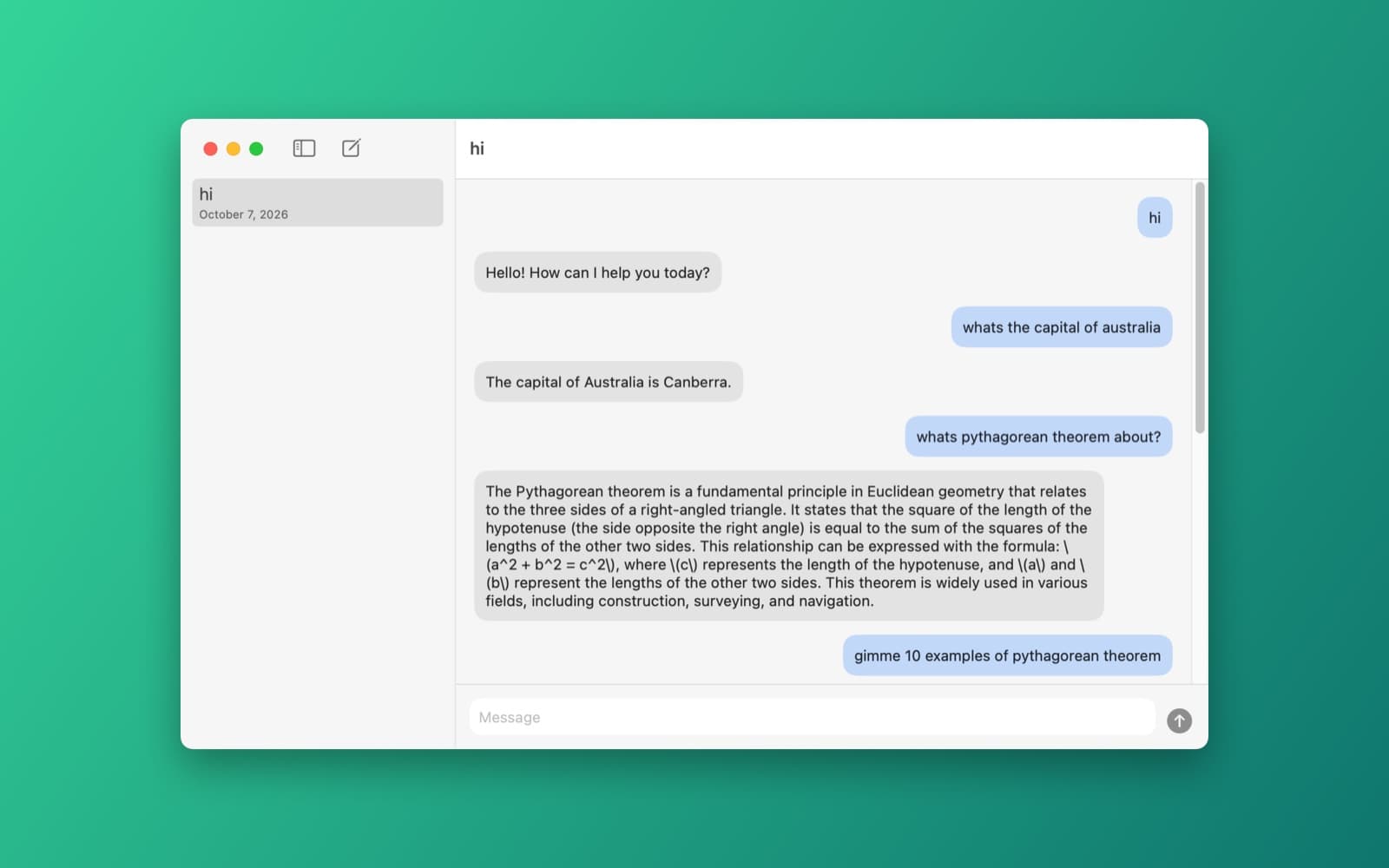
Private Chat is an AI chat that runs entirely on your Mac: no account, no API key and no server.
What it does
- Streaming replies. Answers appear word by word, and a stop button cuts one off.
- Past conversations. A sidebar lists every chat. They are saved on your Mac and reopen when you relaunch. Start a new chat with Cmd+N, or delete one from its right-click menu.
- Local model. Runs Qwen2.5 1.5B Instruct with llama.cpp, so it works with no internet once the model is downloaded.
Notes
On first launch the app downloads the model (about 1.1 GB) into Application Support, with a progress bar. After that it loads straight from disk. When a conversation outgrows the model's 4,096-token window, the oldest messages are dropped from what the model sees.
Information
- Developer
- SiliconDevKit (generated by AI from a prompt)
- Category
- Productivity
- Compatibility
- macOS 13 or later, Apple silicon. Apple silicon Macs only (M1 or later), not Intel
- Size
- 14 MB (.dmg)
- Latest version
- 1.0
- Price
- Free
- Signing
- Ad-hoc signed, not notarized
The prompt behind it
This app was generated from the prompt below. Paste it into SiliconDevKit to build your own version, then change it however you like.
Build a private AI chat app for my Mac that runs a local language model, so it works offline with no API key. It should have a chat window with streaming replies and a list of my past conversations.
What it cost
The cost of this demo was not recorded in our usage log. Demos built through the live build system show every run with its tokens and cost.
Version tree
Every change to this app is a new version. Use any build as a template to start your own copy from it; forks that their makers shared appear as branches.
Version 1.0Oct 7, 2026
Build a private AI chat app for my Mac that runs a local language model, so it works offline with no API key. It should have a chat window with streaming replies and a list of my past conversations.
A private offline AI chat app that runs a local language model with streaming replies and saved conversations.
Opening it for the first time
- Open the .dmg and drag Private Chat onto the Applications folder.
- Open it from Applications. macOS may say it can’t check the app for malicious software. Click Done.
- Open System Settings → Privacy & Security and click Open Anyway. This is needed once. Why this happens. To share an app without the warning, see how to notarize it.


