
Network
Lite Blocker
A tiny ad and tracker blocker built on filter lists.
Get for Mac.dmg · 589 KB · or download .zip
- Category
- Network
- Requires
- macOS 13+
- Size
- 589 KB
- Price
- Free
Preview
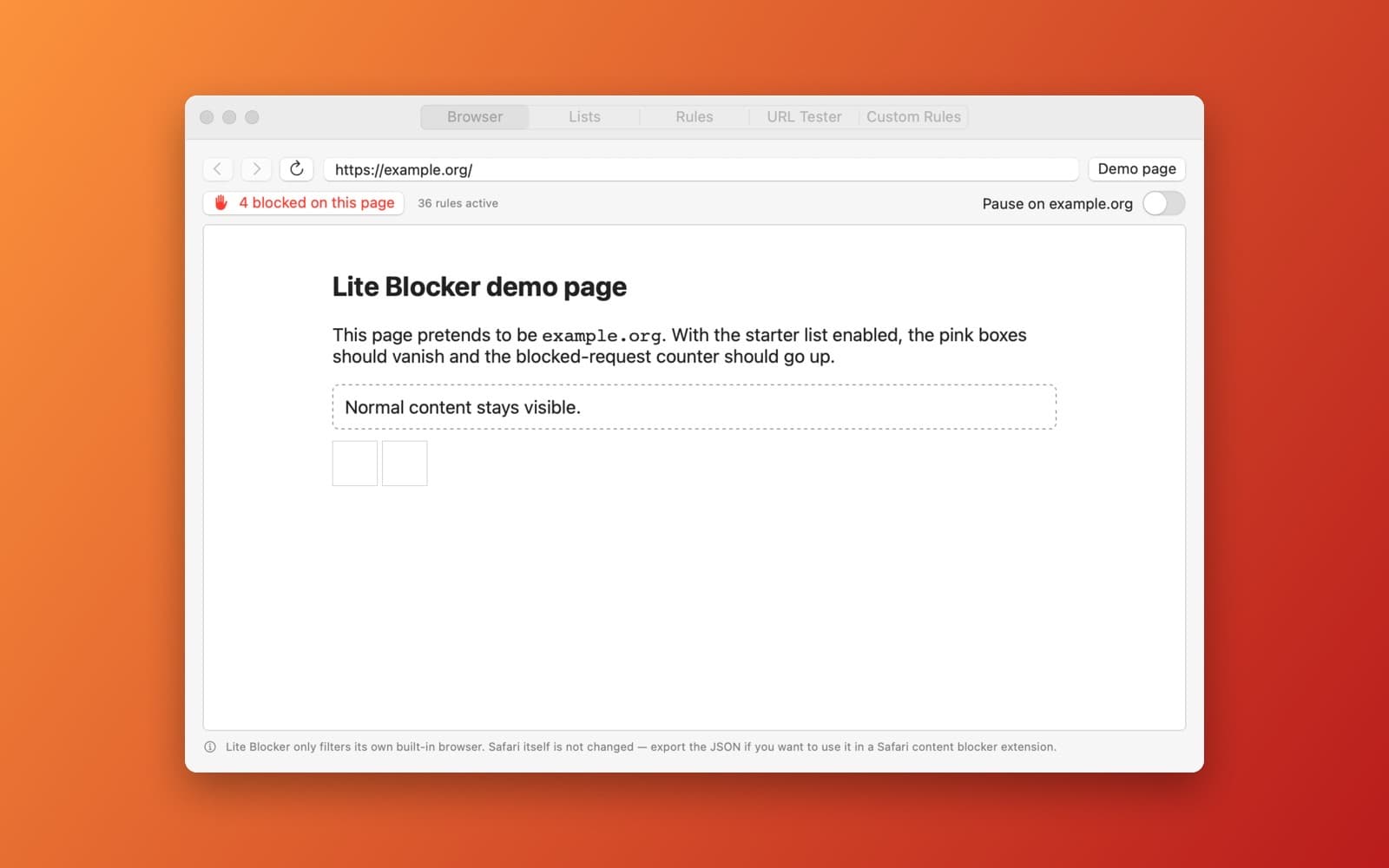
About Lite Blocker
Lite Blocker is a small ad and tracker blocker built on filter lists.
What it does
- Filter lists. Reads EasyList and uBlock style rules and converts them to WebKit content rules, including exceptions and element hiding.
- Built-in browser where the rules really block, with a counter and a per-site Pause switch.
- Rules tab that shows how many rules each list made and which were skipped.
- URL tester, a custom rules editor, and export of the content blocker JSON.
Notes
Blocking only applies inside the app's own browser. It does not change Safari or other apps, and it supports a subset of the filter syntax.
Information
- Developer
- SiliconDevKit (generated by AI from a prompt)
- Category
- Network
- Compatibility
- macOS 13 or later, Apple silicon. Apple silicon Macs only (M1 or later), not Intel
- Size
- 589 KB (.dmg)
- Version
- 1.0
- Price
- Free
- Signing
- Ad-hoc signed, not notarized
The prompt behind it
This app was generated from the prompt below. Paste it into SiliconDevKit to build your own version, then change it however you like.
Build a macOS app called Lite Blocker, a small conceptual copy of the main features of uBlock Origin Lite. It reads standard filter lists (EasyList and uBlock syntax) and converts them to WebKit content rule lists (the JSON format used by Safari content blockers): network rules such as ||example.com^ and /ads/*, the $third-party, $image, $script and $domain= options, exception rules starting with @@, and cosmetic rules such as ##.banner that hide elements (css-display-none). Bundle a small starter list inside the app, and let the user add a list by URL or by pasting text, switch each list on or off, and refresh them. Include a built-in browser tab (WKWebView with the compiled WKContentRuleList) so blocking really works there, with a counter of blocked requests for the current page and a per-site Pause switch. Add a Rules tab showing how many rules each list produced and the rules that were skipped as unsupported, a URL tester where you type a URL and see which rule would block it, a Custom rules editor, and an Export button that saves the content blocker JSON file. Say in the UI that Safari itself is not changed.
Opening it for the first time
- Open the .dmg and drag Lite Blocker onto the Applications folder.
- Open it from Applications. macOS may say it can’t check the app for malicious software. Click Done.
- Open System Settings → Privacy & Security and click Open Anyway. This is needed once. Why this happens. To share an app without the warning, see how to notarize it.


