
Network
Soulseek Lite
A compact Soulseek search-and-download client, built from the open-source seeleseek project.
- Category
- Network
- Requires
- macOS 13+
- Size
- 1.5 MB
- Price
- Free
Preview
About Soulseek Lite
Soulseek Lite is a small Mac client for the Soulseek file-sharing network. You sign in with your own Soulseek account, search, and download what other users share. It was made by adapting the networking code of the open-source project seeleseek into a much smaller app.
What it does
- Search. Type a search, press Return, and results arrive as peers answer. A new search replaces the old one.
- Results table. Filename, user, format, size, bitrate and duration where the network provides them, with sorting and a few filters.
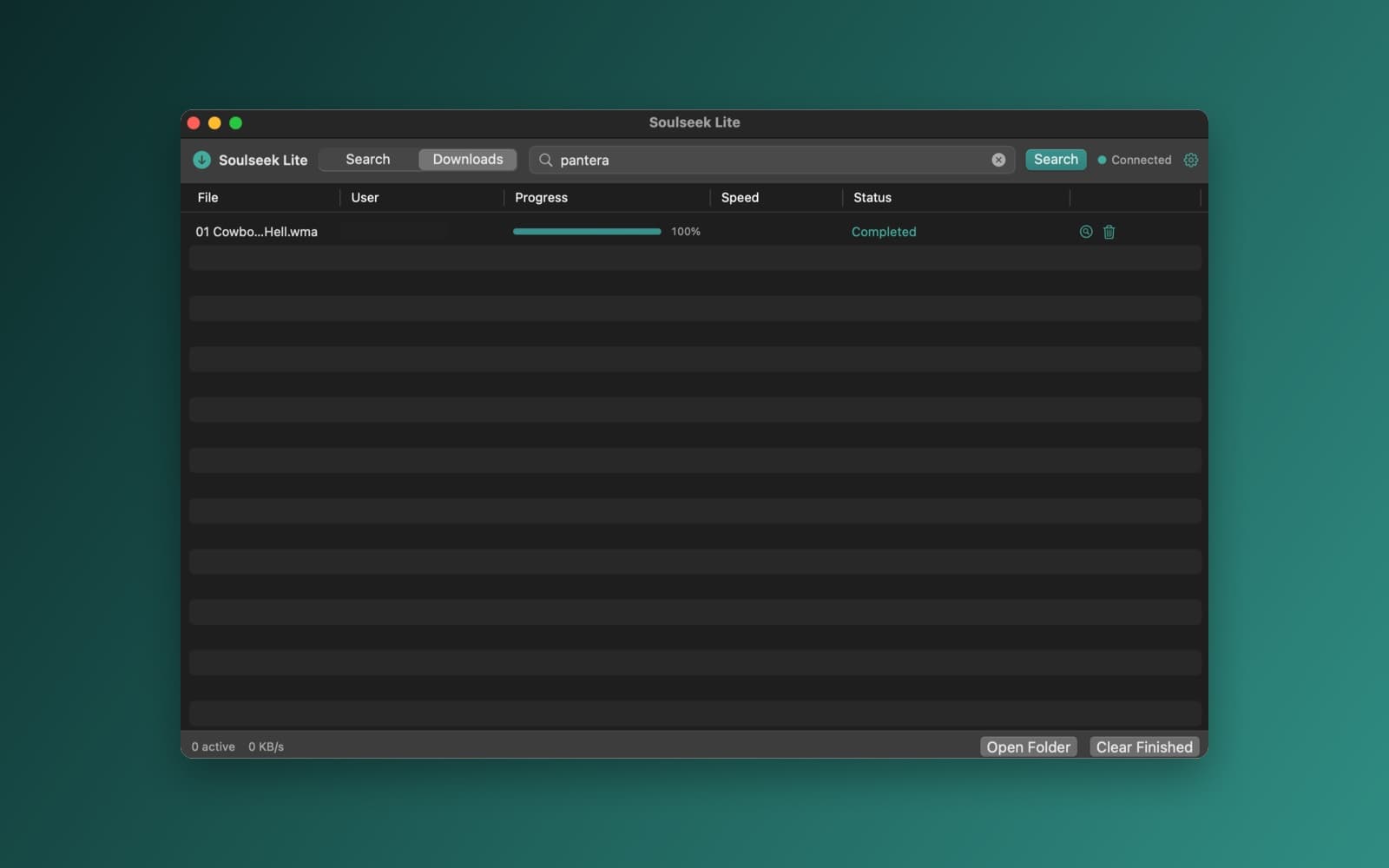
- Downloads. Double-click a result to download it (Return on a selected row may not work), or pick several. Progress, speed, cancel, retry and Show in Finder. Unfinished downloads come back after a restart.
- Settings. Your Soulseek login (the password is kept in the Keychain), the download folder and how many downloads run at once.
What was left out
The original project is much bigger. This version has no chat, browsing other users' files, wish lists or diagnostics, and it does not share files. Its upload and sharing parts are empty stand-ins, so it shares nothing and ignores requests to upload. Country flags are off too.
Notes
This app was built in the desktop app's unsafe mode, from someone else's code, so it is not a template, and SiliconDevKit has not reviewed that code. It is based on seeleseek by bretth18 (MIT license). You need your own free Soulseek account. Use it only for files you have the right to download, and see the copyright page for takedown requests.
Information
- Developer
- SiliconDevKit (generated by AI from a prompt)
- Category
- Network
- Compatibility
- macOS 13 or later, Apple silicon. Apple silicon Macs only (M1 or later), not Intel
- Size
- 1.5 MB (.dmg)
- Latest version
- 1.0
- Price
- Free
- Signing
- Ad-hoc signed, not notarized
The prompt behind it
This app was generated from the prompt below. Paste it into SiliconDevKit to build your own version, then change it however you like.
Build a simple, fast, polished Soulseek search-and-download app for Mac, based on this open-source Swift project: https://github.com/bretth18/seeleseek The goal is the smallest good Soulseek client: open, search, select, download. Keep seeleseek's working Soulseek engine. Do not write a Soulseek client from scratch and do not replace its protocol code. HOW TO PORT IT (read this first) - The repo is in Imported/. Read its README, then Packages/SeeleseekCore/Sources/SeeleseekCore/. That local package is the engine (protocol messages, server and peer connections, search, downloads) and needs no third-party libraries. - Copy the engine's Swift files into Sources/App/ one by one, keeping the code as it is. Change it only where the build needs it. Merging a package into one target can cause name clashes or access-control problems: fix those with the smallest edit. - Keep from SeeleseekCore: Network/ (connections, protocol, handlers, NetworkClient and its extensions, services such as the listener and NAT), the Models it needs, and the download side of Storage/. Skip the upload and sharing side (UploadManager, ShareManager and what only they use) unless the engine will not compile without it: use small stubs for those instead. - From the app target (seeleseek/), read only AppState, ConnectionState, SearchState, LoginView and SearchView to see how the engine is driven. Write your own small views. Do not read or port Chat, Browse, Metadata, Console, MenuBar, Debug, DesignSystem visualizations, client importers or the settings sections. - The app target stores data with GRDB (the Database/ folder). GRDB is not available. Replace storage with JSON files in Application Support and UserDefaults, and the Keychain for the password. - Target macOS 13, Swift 5 language mode. @Observable and the Observation framework need macOS 14, so use ObservableObject and @Published. Avoid APIs newer than macOS 13 (for example Mutex from Synchronization): use NSLock or actors. The code will be compiled later on the user's Mac, not here, so write carefully and re-check every initializer, argument label and optional. - If something in the engine cannot be made to work, say exactly what was left out in your reply. Do not invent search results or fake download progress. - Keep the repository's MIT license: put "Based on seeleseek by bretth18 (MIT license)" in the app's About text or Settings. THE PRODUCT Three actions only: search Soulseek, browse the matching files, download them. No chat rooms, rooms lists, social features, media library, wishlists, uploads UI, dashboards or diagnostics. MAIN WINDOW Compact native SwiftUI, dark charcoal with one restrained accent colour, light and dark mode supported. Compact type, subtle separators, no big cards or gradients. Search results fill most of the window. Top bar: app name and a simple icon, a prominent search field, a Search button, a connection status indicator and a Settings button. Return searches. Cmd+F focuses the search field. Escape cancels a running search or clears focus. Results: a dense native Table with filename, username, format, size, bitrate and duration when the protocol provides them, and a Download button. Sort by filename, size, bitrate and username. Show results as they arrive. A new search cancels the old one, and late results from an old search never appear in the new one. Double-click or press Return on a selection to download. Multi-select and Cmd+A work. Only show metadata the protocol actually gives. Filters, unobtrusive: audio only, file format, minimum bitrate, minimum and maximum size, and a "search within results" box. Downloads view: filename, username, progress, speed and status, with cancel, retry, remove from list and reveal in Finder. Show total speed and the number of active downloads. Downloads keep running when you switch views. Reuse the engine's download manager and persist the list so unfinished downloads show up after a restart. Never show a download as complete until the engine confirms it. SETTINGS AND CONNECTION Reuse the engine's login and connection code. A minimal first-run sign-in for the Soulseek username and password (the user's own account, saved in the Keychain). Settings: username and password, download folder, maximum simultaneous downloads, search timeout, audio filter defaults. Show clear connection states and actionable errors, and reconnect after short network failures without opening a second connection or damaging a transfer in progress. RELIABILITY Handle disconnects, search timeouts, peers that cannot be reached, missing files, cancelled and partial downloads, duplicate results, invalid file names, permission errors and a full disk. Keep network work off the main thread and update UI state on the main actor. CODE Reuse the engine's models and services rather than rewriting them. Keep the structure modular. Do not add dependencies, a backend, Docker, slskd or a web view. In your reply, summarize what you kept, what you replaced and what you left out, in a few sentences.
What it cost
The cost of this demo was not recorded in our usage log. Demos built through the live build system show every run with its tokens and cost.
Opening it for the first time
- Open the .dmg and drag Soulseek Lite onto the Applications folder.
- Open it from Applications. macOS may say it can’t check the app for malicious software. Click Done.
- Open System Settings → Privacy & Security and click Open Anyway. This is needed once. Why this happens. To share an app without the warning, see how to notarize it.
You might also like
 Get
GetPlayTube
Paste a video link and watch it in a clean player, with no ads.
 Get
GetAdMute
Listens to your Mac's audio and mutes the ads, then brings the sound back.
 Get
GetToob-Downer
Paste a video link and save the video to your Mac, with a queue to keep track.
 Get
GetAgent Swarm
Send one task to Claude, Gemini and Hermes at once.