
Game
Flappy Canary
Flap a canary through the pipes. A Mac port of an open-source game.
- Category
- Game
- Requires
- macOS 13+
- Size
- 0.4 MB
- Price
- Free
Preview
About Flappy Canary
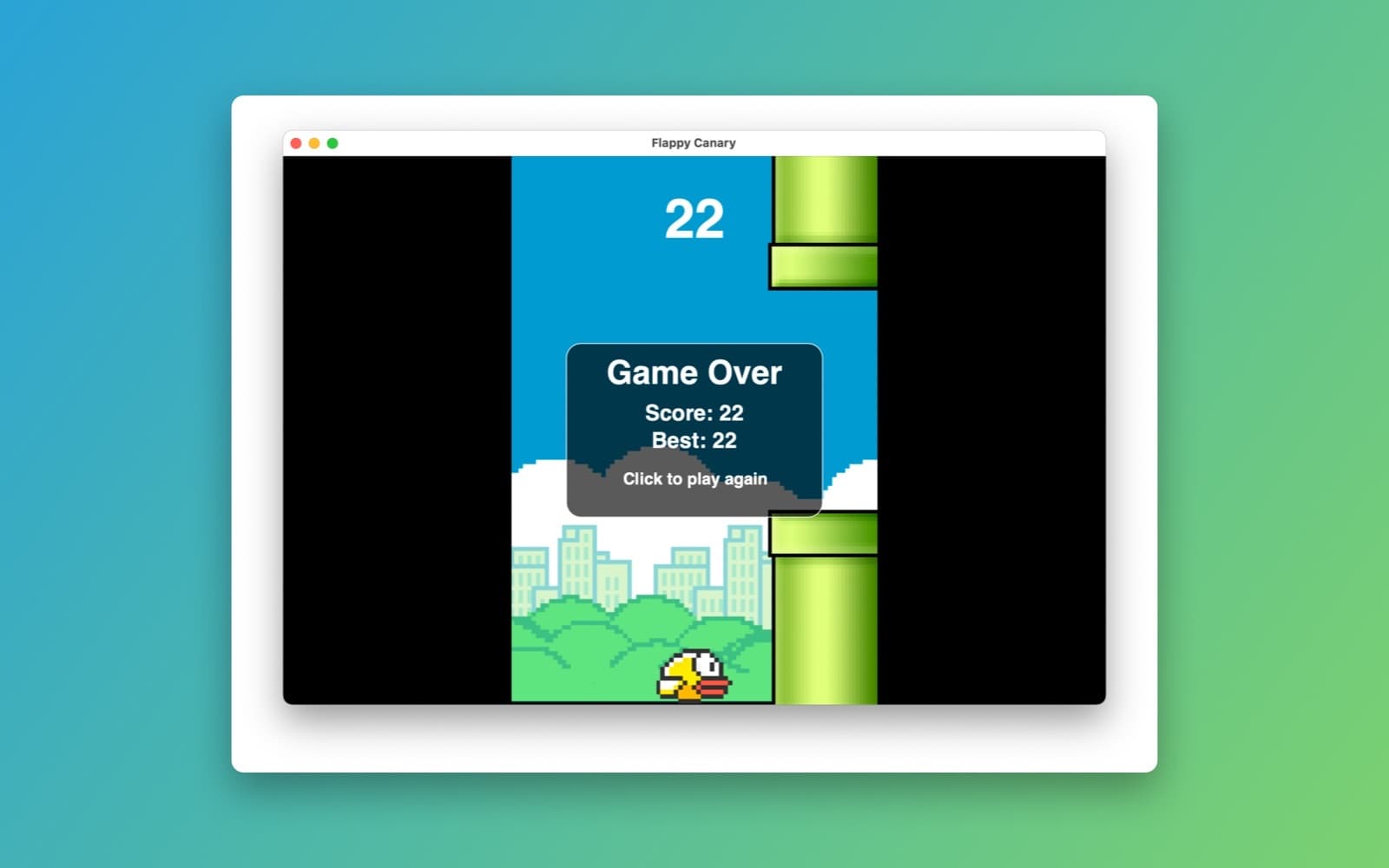
Flappy Canary is a one-button arcade game. Click, tap the space bar or press a key to flap, slip the canary through the gaps between the green pipes, and see how high you can score. This is a Mac version of the open-source iPhone game Flappy Canary by pH-7.
What it does
- One-button play. Each flap lifts the canary and gravity pulls it back down. Every pair of pipes you pass is a point.
- Score and best. The score shows at the top of the screen, and the game-over card shows your score and your best.
- Click to play again. One click after a crash starts a new run.
- The original's look. The pixel-art canary, pipes, skyline and bushes are the original game's pictures.
How it was made
One prompt in the SiliconDevKit desktop app, with the original project's link in it. The cloud wrote the game with SpriteKit and a Mac compiled it. The five pictures were downloaded from the original repository while the game was compiled.
Notes
This is a port written from the prompt, not a line-by-line copy of the original code, so the flap strength, gravity and pipe speed may feel a little different from the original. It is based on Flappy Canary by pH-7 (MIT license). The prompt is shown in full below, and the exact controls and physics come from it and were not all checked.
Information
- Developer
- SiliconDevKit (generated by AI from a prompt)
- Category
- Game
- Compatibility
- macOS 13 or later, Apple silicon. Apple silicon Macs only (M1 or later), not Intel
- Size
- 0.4 MB (.dmg)
- Latest version
- 1.0
- Price
- Free
- Signing
- Ad-hoc signed, not notarized
The prompt behind it
This game was generated from the prompt below. Paste it into SiliconDevKit to build your own version, then change it however you like.
Build a Mac version of this small open-source SpriteKit game, a "Flappy Bird" style game with a canary: https://github.com/pH-7/Flappy-Canary The goal is a polished, playable Mac game that plays like the original: a canary that flaps through gaps between pipes, a score, game over and restart. Keep the game's own code and logic. Port it; do not write a different game. HOW TO PORT IT (read this first) - The repo is in Imported/. It is tiny: read HappyBird/GameScene.swift (the whole game), GameViewController.swift and AppDelegate.swift. Ignore the tests, the storyboards, Actions.sks and GameScene.sks (SpriteKit editor files you cannot use), and the two coding-session photos. - It is an iOS app (UIKit, UIViewController, touches). Replace those parts with Mac ones: host the SKScene in SwiftUI with SpriteView (macOS 11 or later) inside a window, replace touchesBegan with mouseDown and keyDown (click, Space or Up arrow flaps; P pauses; R restarts), and replace any UIKit types (UIColor, UIFont, UIScreen) with NSColor, NSFont and the scene size. Make the scene scale to any window size (scaleMode .aspectFit with a fixed logical size such as 400 by 600) and keep the window resizable, with a minimum of 400 by 600. - Images: the sprites live in the repo (HappyBird/background.png, canary1.png, canary2.png, pipe1.png, pipe2.png), but Imported/ is not shipped and asset catalogs are not allowed. Download them at build time with assets.json in the project root, exactly: [{"repo": "https://github.com/pH-7/Flappy-Canary", "ref": "e8b39b86278ab8ada10e5ef4be8e5c57d6ed5342", "paths": ["HappyBird/background.png", "HappyBird/canary1.png", "HappyBird/canary2.png", "HappyBird/pipe1.png", "HappyBird/pipe2.png"], "to": "Canary"}] The app then finds them at Contents/Resources/Assets/Canary/HappyBird/<name>.png. Write one helper that loads an SKTexture from there (NSImage from Bundle.main.resourceURL), use it wherever the game says SKTexture(imageNamed:), and set filteringMode to .nearest only if the art is pixelated. If a file is missing, draw a simple colored shape instead so the game still runs. - The code is compiled later on the user's Mac, not here, so write carefully: target macOS 13, Swift 5 language mode, only APIs that exist on macOS 13. Double-check every initializer, argument label and optional. - Keep the MIT license: put "Based on Flappy Canary by pH-7 (MIT license)" on the title screen footer or in an About window. GAME - Title screen with the canary and "Click or press Space to start", the best score kept in UserDefaults, a score counter while playing, a game over panel with the score, the best score and "Click to play again". - Keep the original's physics and tuning (gravity, flap impulse, pipe spacing, speed, collision) and its wing animation with the two canary frames. If the original has no sound, add none, or a short synthesized blip with AVAudioEngine only if it is simple. - Smooth 60 frames per second. Do not invent new features. QUALITY - Keep the code modular: a GameScene, a small GameModel for score and state, the SwiftUI shell, and an asset loader. Only Apple frameworks, no Xcode project or asset catalog. - In your reply, say in a few sentences what you kept, what you replaced and anything that may not play exactly like the original.
What it cost
Every AI run that made this demo, one per line. Model: Claude Sonnet 5.5. Tokens are shown as (in / out). “In” counts everything the model read, including text it had already seen in the session at a reduced price.
| Initial prompt(171k in / 14k out) | 27 credits | |
| = | Total(171k in / 14k out) | 27 credits |
Credits are what a build uses on your plan. This counts AI usage only: hosting and the Mac that compiled it are not included.
Version tree
Every change to this app is a new version. Use any build as a template to start your own copy from it; forks that their makers shared appear as branches.
Version 1.0Oct 10, 2026
Build a Mac version of this small open-source SpriteKit game, a "Flappy Bird" style game with a canary: https://github.com/pH-7/Flappy-Canary The goal is a polished, playable Mac game that plays like the original: a canary that flaps through gaps between pipes, a score, game over and restart. Keep the game's own code and logic. Port it; do not write a different game. HOW TO PORT IT (read this first) - The repo is in Imported/. It is tiny: read HappyBird/GameScene.swift (the whole game), GameViewController.swift and AppDelegate.swift. Ignore the tests, the storyboards, Actions.sks and GameScene.sks (SpriteKit editor files you cannot use), and the two coding-session photos. - It is an iOS app (UIKit, UIViewController, touches). Replace those parts with Mac ones: host the SKScene in SwiftUI with SpriteView (macOS 11 or later) inside a window, replace touchesBegan with mouseDown and keyDown (click, Space or Up arrow flaps; P pauses; R restarts), and replace any UIKit types (UIColor, UIFont, UIScreen) with NSColor, NSFont and the scene size. Make the scene scale to any window size (scaleMode .aspectFit with a fixed logical size such as 400 by 600) and keep the window resizable, with a minimum of 400 by 600. - Images: the sprites live in the repo (HappyBird/background.png, canary1.png, canary2.png, pipe1.png, pipe2.png), but Imported/ is not shipped and asset catalogs are not allowed. Download them at build time with assets.json in the project root, exactly: [{"repo": "https://github.com/pH-7/Flappy-Canary", "ref": "e8b39b86278ab8ada10e5ef4be8e5c57d6ed5342", "paths": ["HappyBird/background.png", "HappyBird/canary1.png", "HappyBird/canary2.png", "HappyBird/pipe1.png", "HappyBird/pipe2.png"], "to": "Canary"}] The app then finds them at Contents/Resources/Assets/Canary/HappyBird/<name>.png. Write one helper that loads an SKTexture from there (NSImage from Bundle.main.resourceURL), use it wherever the game says SKTexture(imageNamed:), and set filteringMode to .nearest only if the art is pixelated. If a file is missing, draw a simple colored shape instead so the game still runs. - The code is compiled later on the user's Mac, not here, so write carefully: target macOS 13, Swift 5 language mode, only APIs that exist on macOS 13. Double-check every initializer, argument label and optional. - Keep the MIT license: put "Based on Flappy Canary by pH-7 (MIT license)" on the title screen footer or in an About window. GAME - Title screen with the canary and "Click or press Space to start", the best score kept in UserDefaults, a score counter while playing, a game over panel with the score, the best score and "Click to play again". - Keep the original's physics and tuning (gravity, flap impulse, pipe spacing, speed, collision) and its wing animation with the two canary frames. If the original has no sound, add none, or a short synthesized blip with AVAudioEngine only if it is simple. - Smooth 60 frames per second. Do not invent new features. QUALITY - Keep the code modular: a GameScene, a small GameModel for score and state, the SwiftUI shell, and an asset loader. Only Apple frameworks, no Xcode project or asset catalog. - In your reply, say in a few sentences what you kept, what you replaced and anything that may not play exactly like the original.
A Mac port of the Flappy Canary SpriteKit game: flap a canary through the pipes.
Opening it for the first time
- Open the .dmg and drag Flappy Canary onto the Applications folder.
- Open it from Applications. macOS may say it can’t check the app for malicious software. Click Done.
- Open System Settings → Privacy & Security and click Open Anyway. This is needed once. Why this happens. To share an app without the warning, see how to notarize it.

