The silicondevkit.com desktop app
silicondevkit.com turns a plain-English description into a real, native Mac app. You can use it in the browser, and now also from a native desktop app that does the same job.
What it does
The desktop app is a SwiftUI client for the same service as the website, so everything you build is in both places:
- Sign in with your silicondevkit.com account.
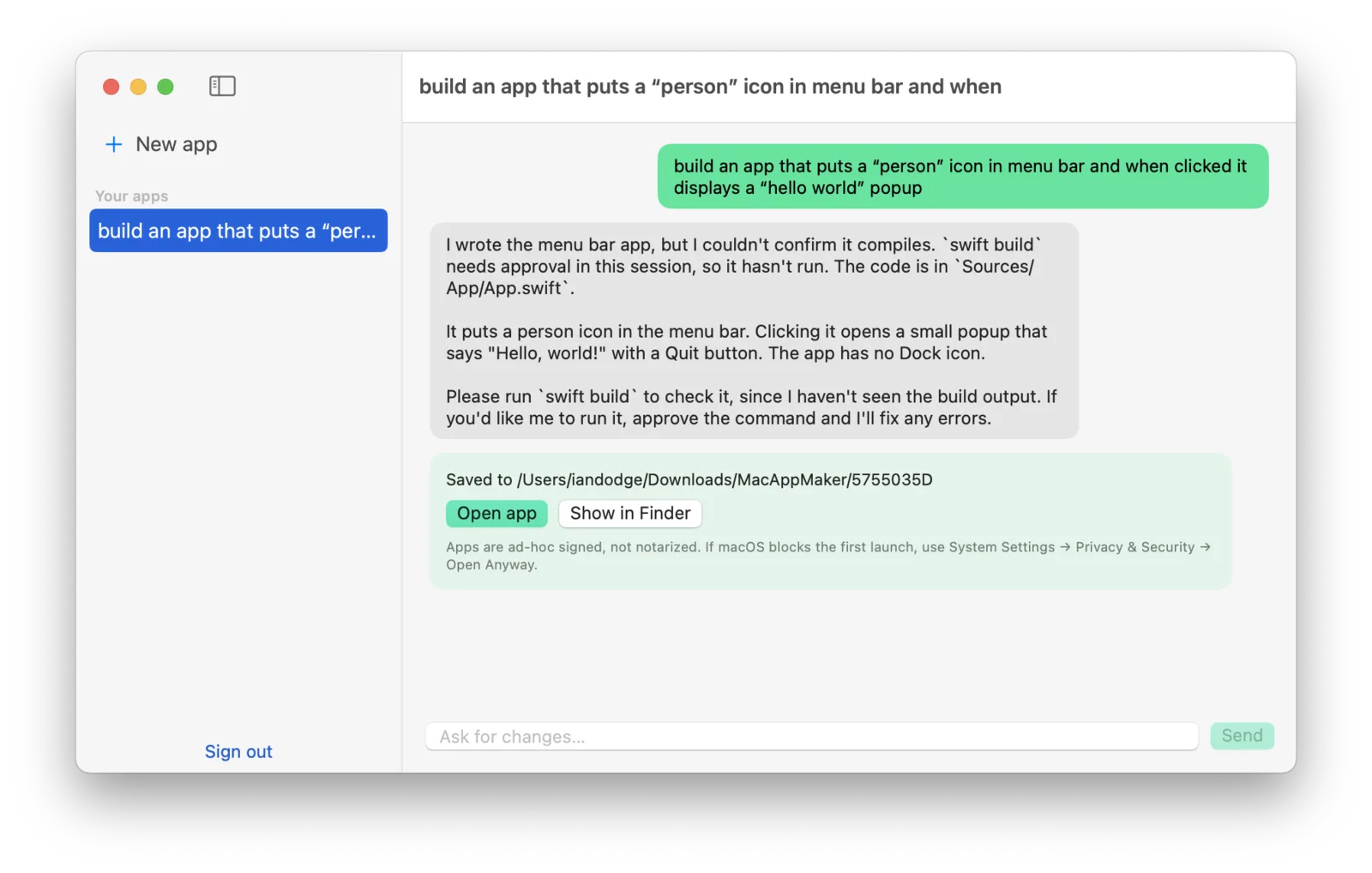
- Describe an app on the New app screen. The prompt above asked for a menu bar app with a "person" icon that shows a "hello world" popup.
- Watch the build. The status moves from queued to building to ready, and shows the current stage, such as writing code or compiling.
- Keep iterating. Each project keeps its chat. Send a follow-up like "make the number turn red when negative" and the existing app is edited rather than rewritten.
- Download and open. When a build is ready, the app unpacks it into your Downloads folder and gives you Open app and Show in Finder buttons.
Your list of apps is in the sidebar, so you can jump back to any earlier project.
What you get
Every build is a standalone SwiftUI app for macOS 13 or later, packaged as a normal .app bundle. It is a single-target Swift package with no third-party dependencies.
Opening your app for the first time
Apps are signed ad hoc and are not notarized, so no Apple Developer account is involved. macOS may block the first launch of a downloaded app. If it does, open System Settings → Privacy & Security and click Open Anyway.
Availability
silicondevkit.com is currently invite-only. Sign-ups are limited to approved email addresses.